Accept Payments on your Quiz with your Stripe Account
One of the most valuable features Fyrebox offers is the ability to accept payments directly through your quizzes by integrating with Stripe. This integration opens up a world of possibilities, allowing you to monetize your quizzes seamlessly. In this article, we will explore the benefits of connecting a Stripe account to your Fyrebox quizzes and provide a step-by-step guide to setting up this integration.
Benefits of Connecting Stripe to Fyrebox
1. Monetize Your Quizzes
By integrating Stripe with Fyrebox, you can charge users for accessing your quizzes. This is particularly useful for charging participants to receive a certificate, premium educational content, or any scenario where you provide valuable information or entertainment.
2. Streamlined Payment Processing
Stripe is renowned for its ease of use and security. Integrating it with Fyrebox ensures that payments are processed smoothly and securely, providing a hassle-free experience for your users.
3. Global Reach
Stripe supports multiple currencies and payment methods, allowing you to reach a global audience. This flexibility ensures that users from different countries can pay using their preferred method and currency.
4. Automated Transactions
Once set up, payments are handled automatically. Users complete the payment process to access the result page, to receive a certificate, or to be redirected to specific page. The funds are directly deposited into your Stripe account instantly.
5. Enhanced User Experience
Integrating payments into your quiz can improve the user experience by providing a seamless and professional interface. Users can complete transactions without being redirected to external websites, maintaining engagement and reducing drop-offs.
Step-by-Step Guide to Connecting Your Stripe Account
Step 1: Connect the Stripe Test Account to Test Payments
Before you go live, it's essential to test the payment process to ensure everything works correctly. Follow these steps to connect your Stripe test account:
- Log in to your Fyrebox account.
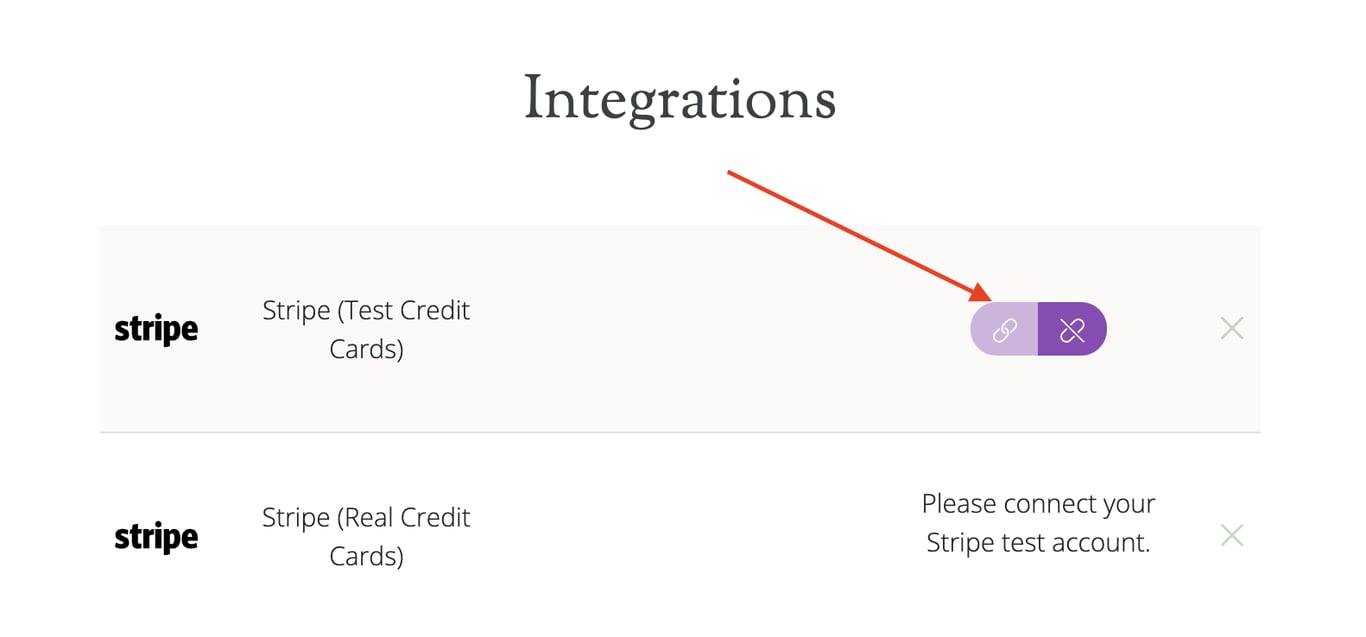
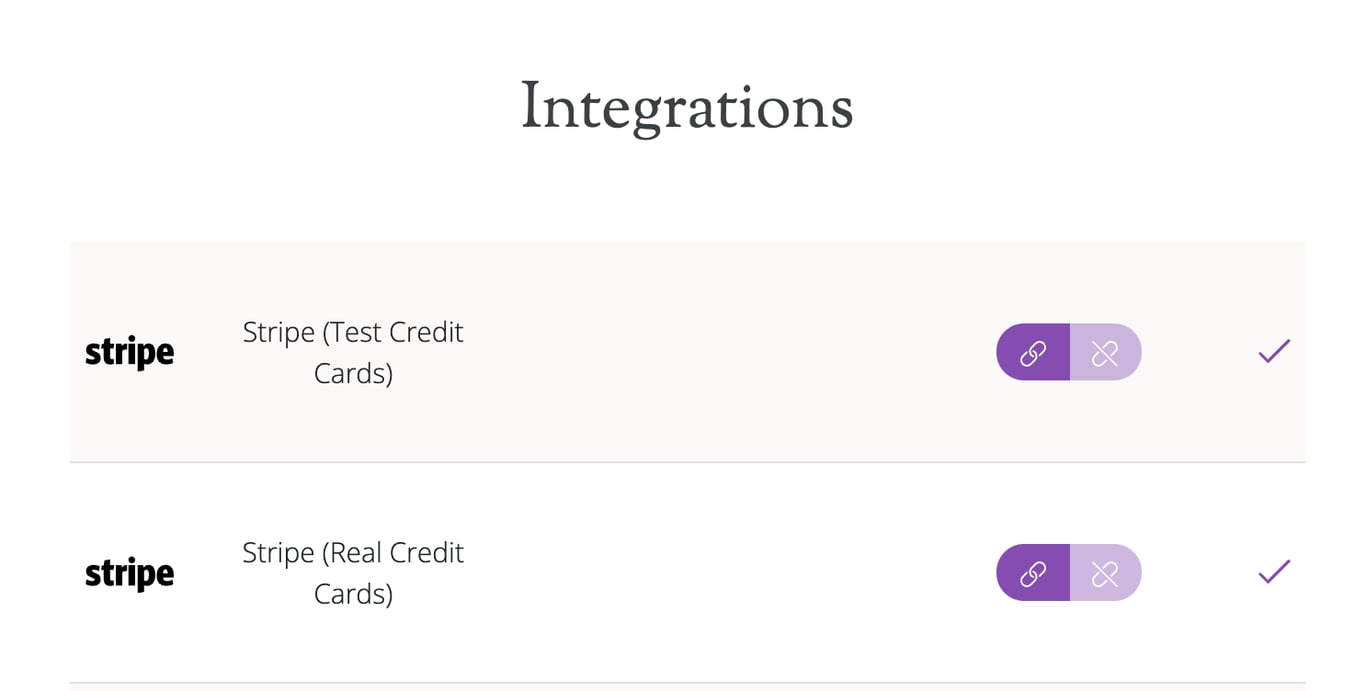
- Navigate to the 'Integrations' section.
- Click on the Connect icon next to the Stripe icon (Test Credit Cards).
- Log in to your Stripe account or create one if you don't have one
- Authorize Fyrebox to access your Stripe account by clicking the "Connect" button.
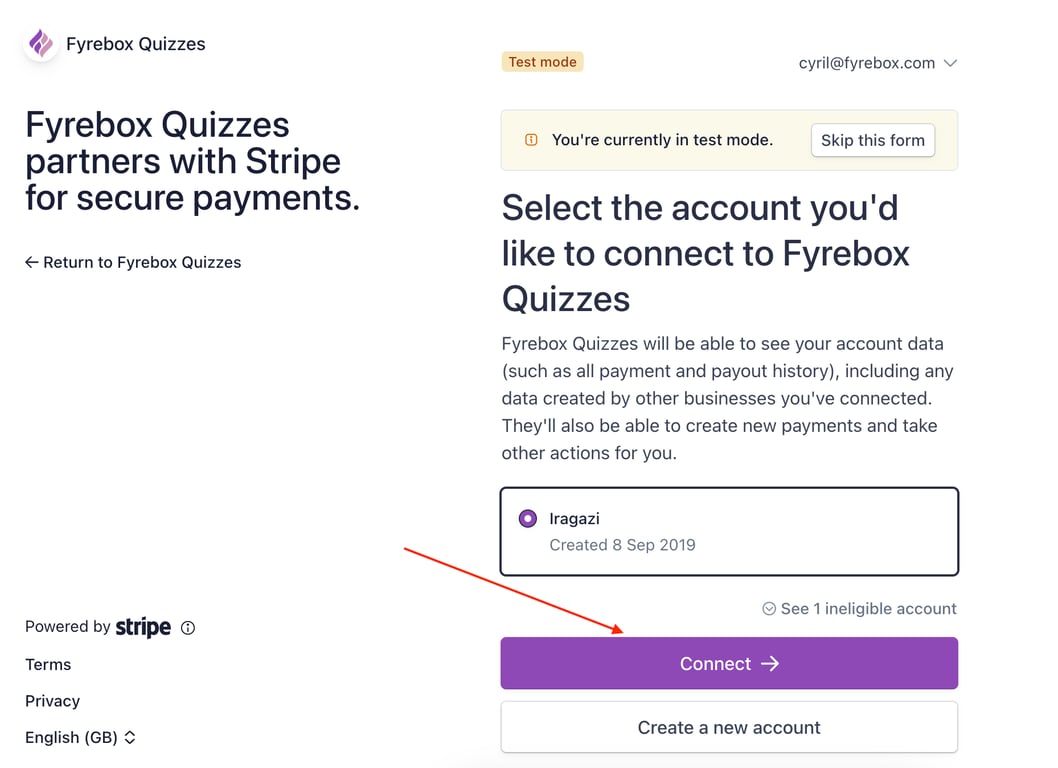
Once connected, your quiz will be linked to your Stripe test account, allowing you to simulate transactions without real money.
Step 2: Repeat the steps above to connect your live Stripe account
- Click on the Connect icon next to the Stripe icon (Real Credit Cards).
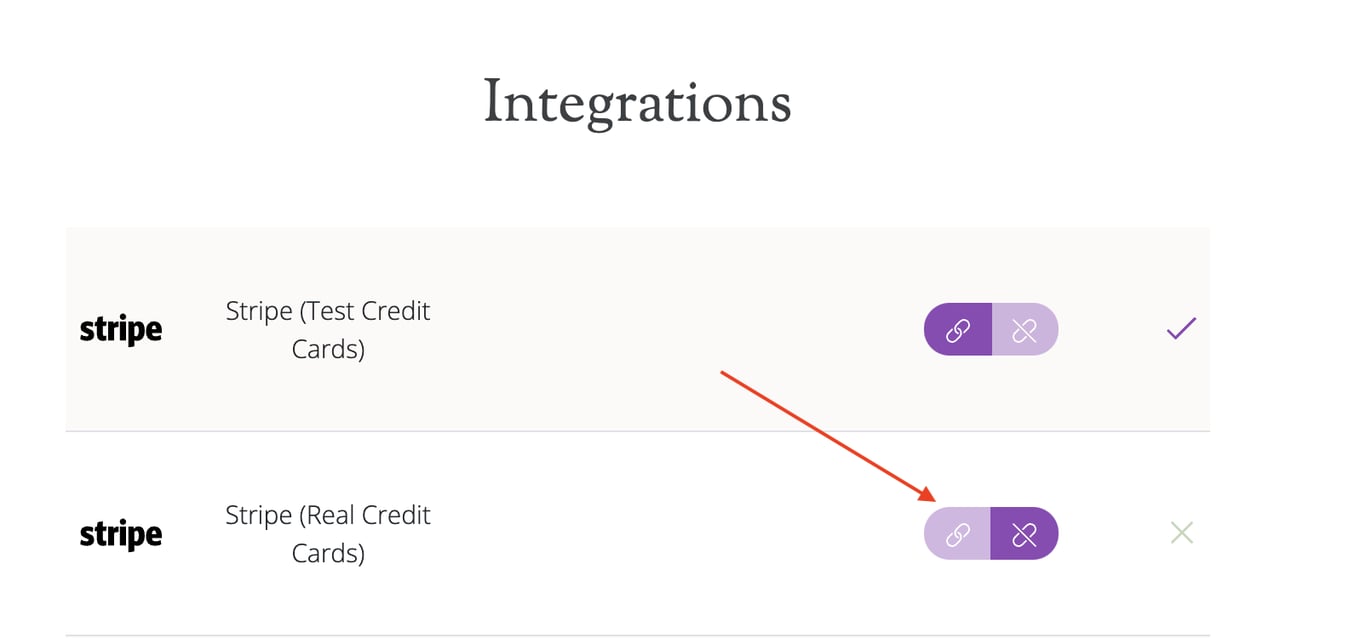
Authorize Fyrebox again to access your live Stripe account.
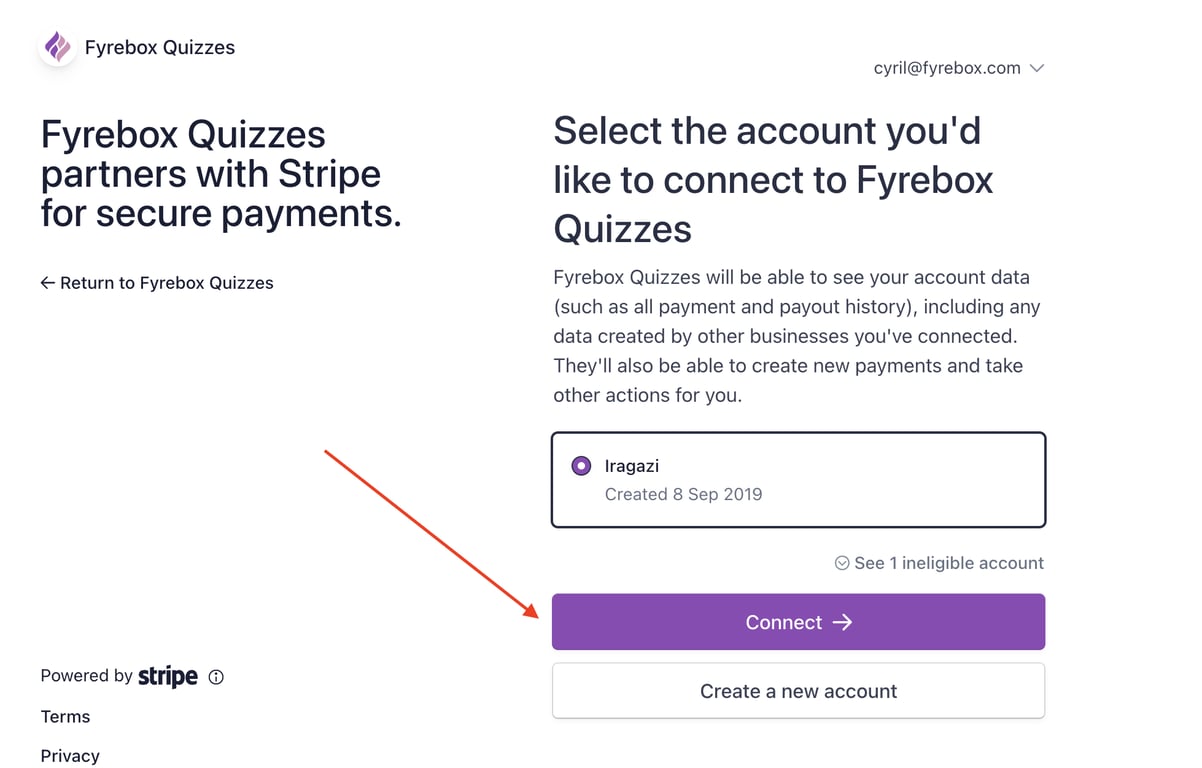
When you authorise Fyrebox to use your live Stripe account, you should see two tick marks next to the Stripe icons.
Step 3: Specify a Currency and an Amount for the transaction
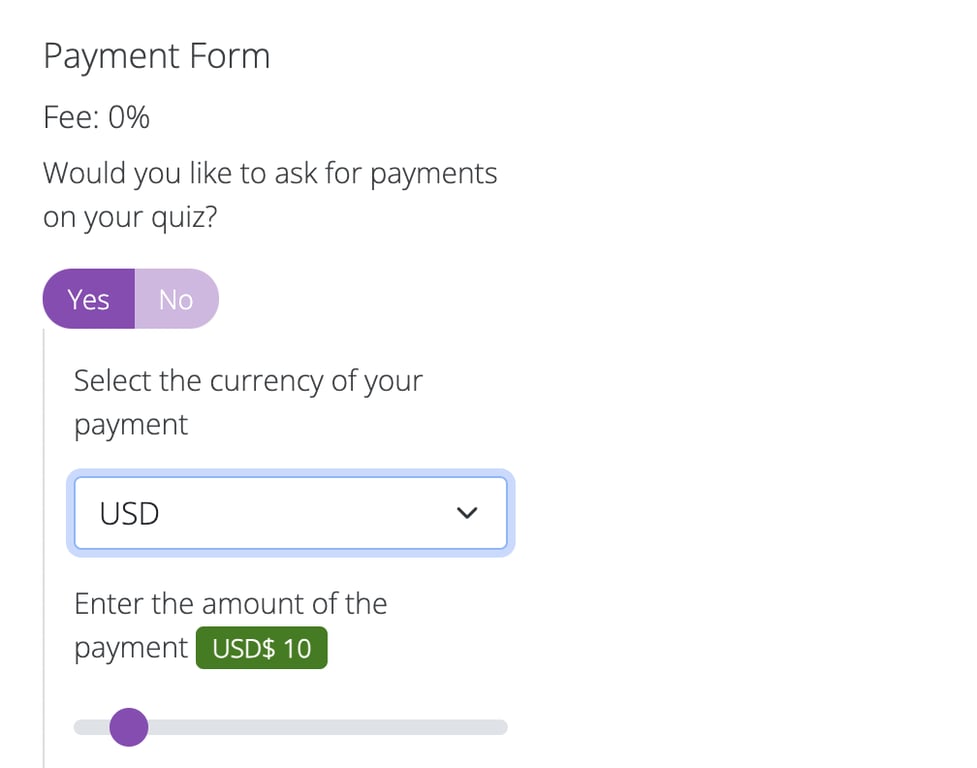
- Go to the "Settings" page of your quiz.
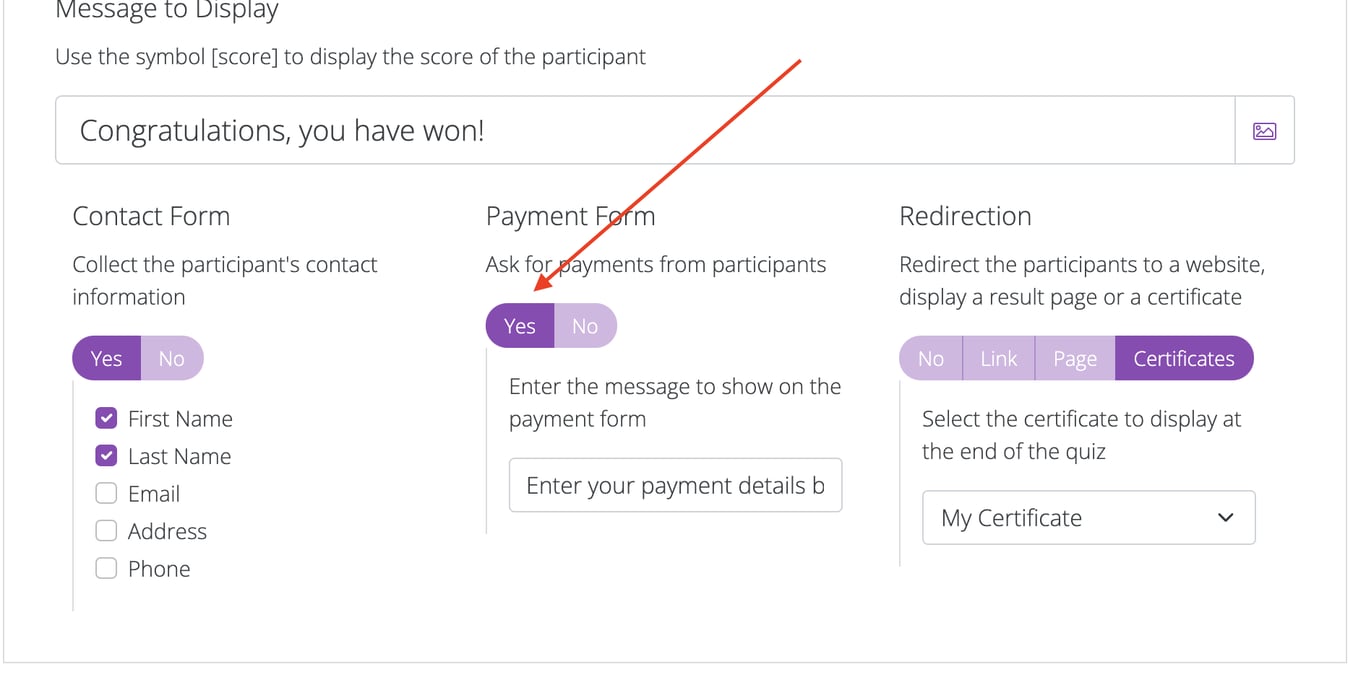
- Click on the "Yes" button in the "Payment Form" section
- Specify the currency you want to accept (e.g., USD, EUR, GBP).
- Enter the amount you wish to charge the participants of your quiz.
Ensure that the currency and amount align with your target audience and the value of the content provided.
Step 4: Test the Payments on your Quiz using a Test Credit Card
It's crucial to test the payment process to ensure a smooth user experience:
- Enable the payment form on your quiz and the message to display above the payment form
- Play your quiz and use a test credit card number (e.g., 4242 4242 4242 4242) to make a payment.You can find a list of test credit card numbers here.
- Complete the payment process and verify that it works as expected.
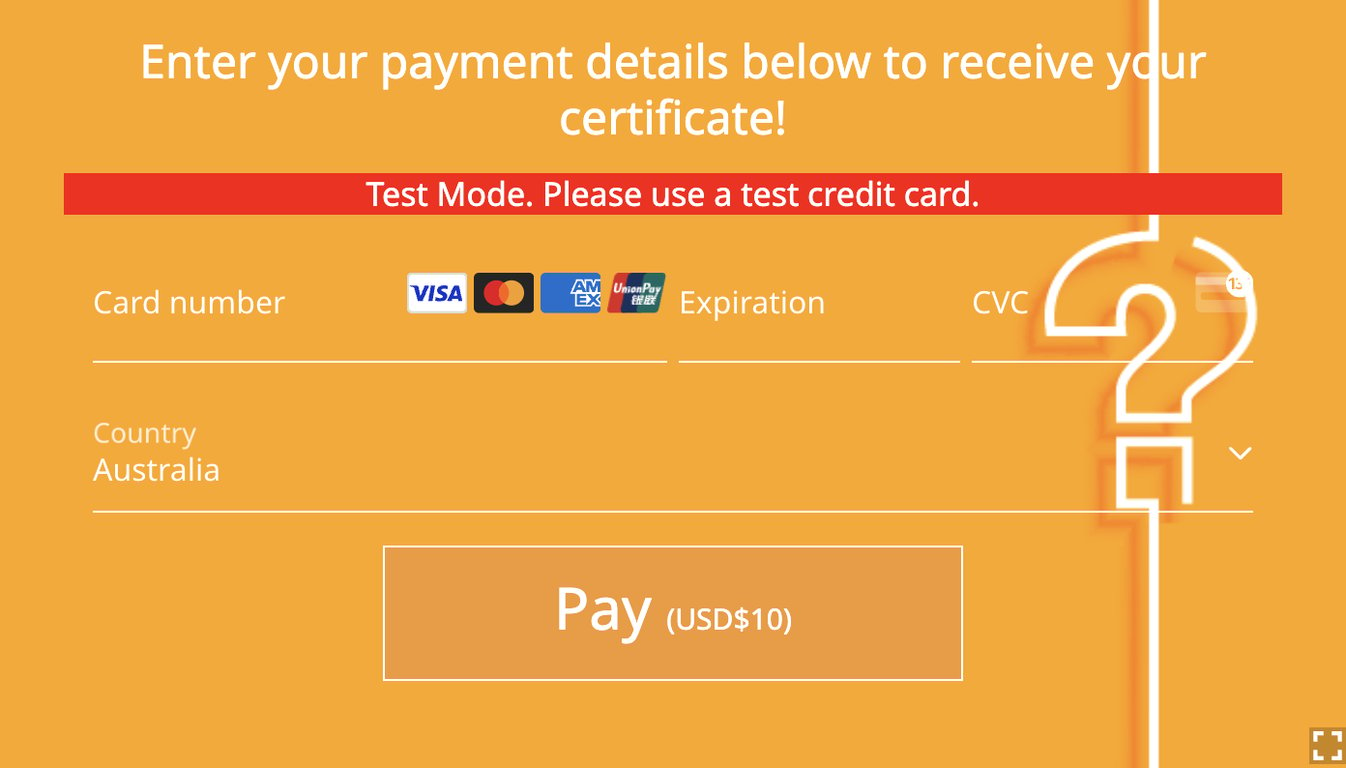
Testing ensures that users will not encounter issues when making real payments.
Step 5: Enable Live Payments
Once you have successfully tested the payment process, enable live payments:
- Visit the 'Settings' page of your quiz.
- Click on "Yes" button in the section "Are you ready to accept live payments?"
Your quiz is now live and ready to accept real payments from users around the world.
Integrating Stripe with Fyrebox is a straightforward process that brings significant benefits, from monetizing your content to providing a seamless payment experience for users. By following the steps outlined in this guide, you can ensure a smooth setup and start accepting payments through your quizzes quickly. Whether you're offering educational content, premium quizzes, or other valuable information, this integration helps you unlock new revenue streams and reach a global audience effortlessly.