Connect your quiz to SurveyMonkey
If you use SurveyMonkey to manage survey contacts or automate follow-ups, you can send every lead collected by your quiz directly to the audience lists you maintain in SurveyMonkey. The integration relies on an OAuth 2.0 connection and is available to subscribers of the Pro plan or higher. To get started, you need:
- A Fyrebox account (Pro plan)
- A published quiz with a contact form
- A SurveyMonkey account with permission to authorize apps
- Access to the SurveyMonkey Audience feature (contact lists)
Step 1: Authorise Fyrebox inside SurveyMonkey
Visit your integrations page on Fyrebox, locate SurveyMonkey, and toggle the Connection switch. You will be redirected to the SurveyMonkey login screen to start the OAuth 2.0 flow.

After signing in, SurveyMonkey will display the scopes required by Fyrebox (read contacts and contact lists, and create contacts). Click "Authorise" to grant access.
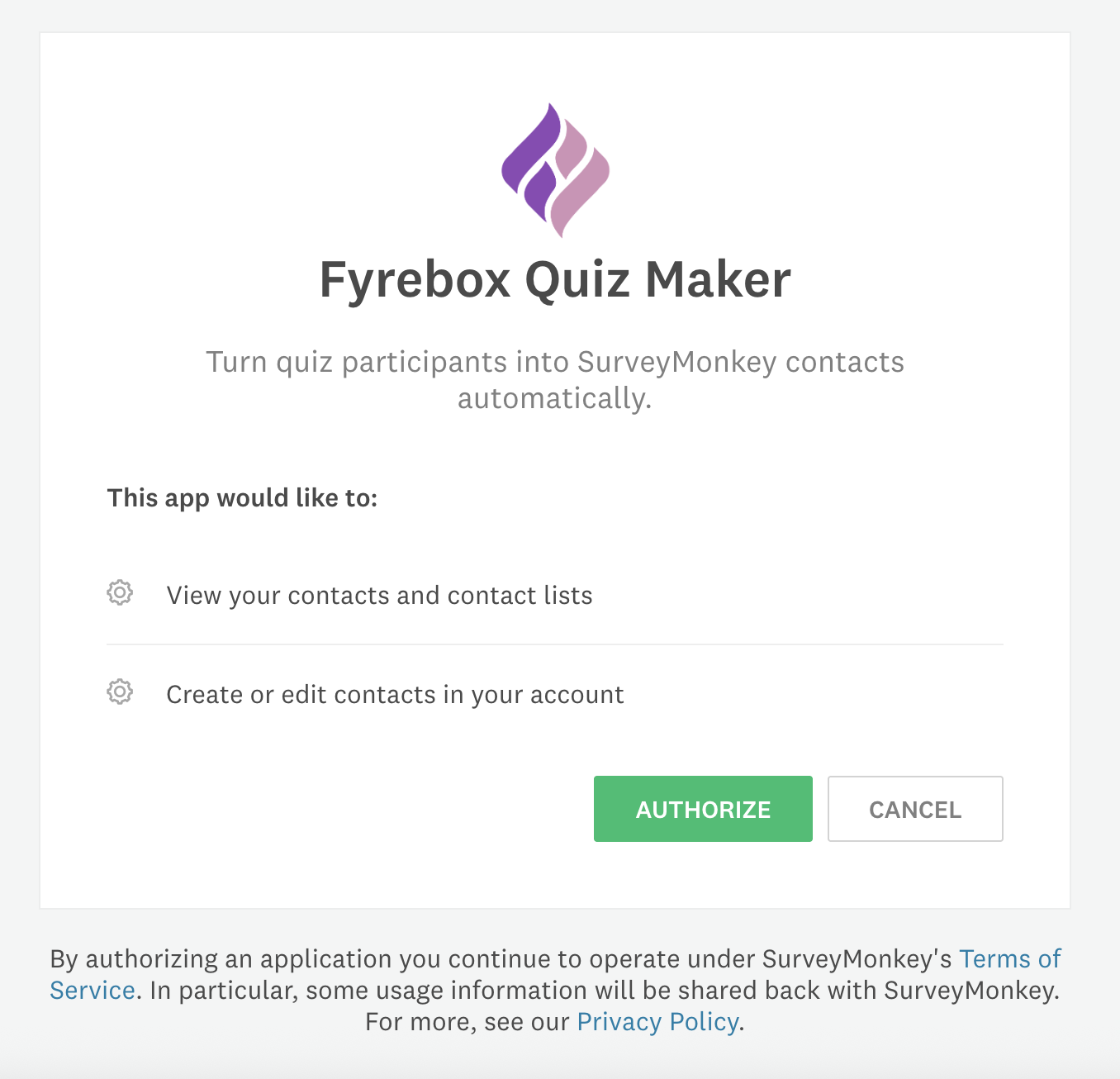
When the consent flow is completed, you are sent back to your Fyrebox dashboard with a confirmation banner showing that the accounts are now connected.

Step 2: Select the contact groups to receive new contacts
Open the edit page of your quiz and scroll down to the "Integrations" tab. You will now see a switch below the SurveyMonkey logo. Enabling it will list all the contacts groups available in your SurveyMonkey workspace.
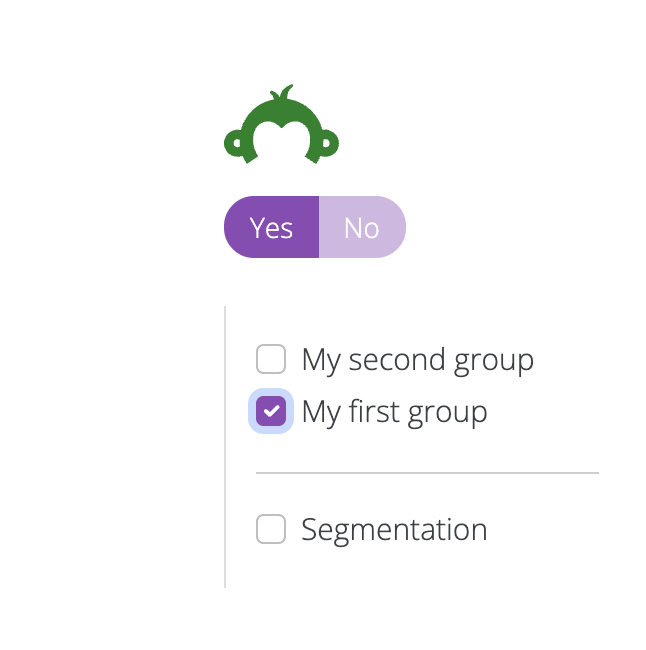
Choose one or more groups to receive participants. If you use outcomes or scoring rules, you can enable segmentation to route players into different lists based on their results.
Every qualified lead who submits the contact form will be pushed to the lists you selected in SurveyMonkey with their email, name, address, and phone number when available.
Step 3: Confirm synchronisation in SurveyMonkey
Head back to SurveyMonkey and open the "Contacts" section. New quiz participants should appear within a few seconds, flagged with a note that they originated from Fyrebox.
The integration keeps the email address, name, phone number, and company fields aligned between both platforms when those fields are present in your quiz.
If you encounter issues approving the connection, cannot see your groups, or need to synchronise additional properties, contact us using the question mark at the bottom right corner of the website.
If you have never heard of them: SurveyMonkey is an online survey platform that helps organisations collect and analyse feedback at scale. With powerful templates, automation capabilities, and built-in analytics, SurveyMonkey lets you launch surveys quickly and turn responses into actionable insights.
Learn More